-
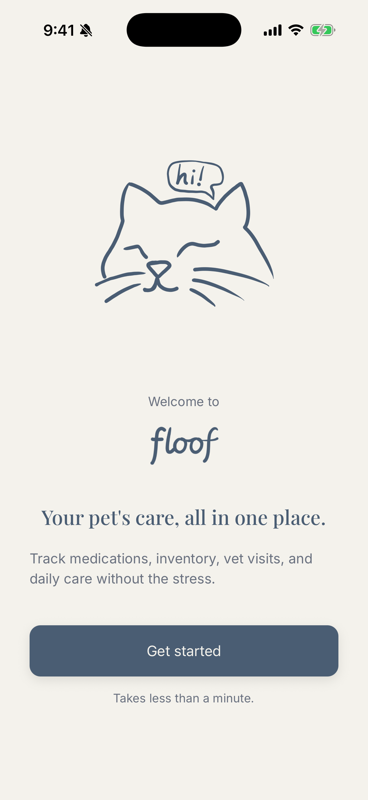
Welcome to floof
This guide is a short tour of the basics. Swipe, or tap Next → to navigate. Tap ☰ Sections to jump around between features. If you find any issues with the app, use 🐞 Found a bug? to see how to share feedback. We’re so glad you’re here!
-
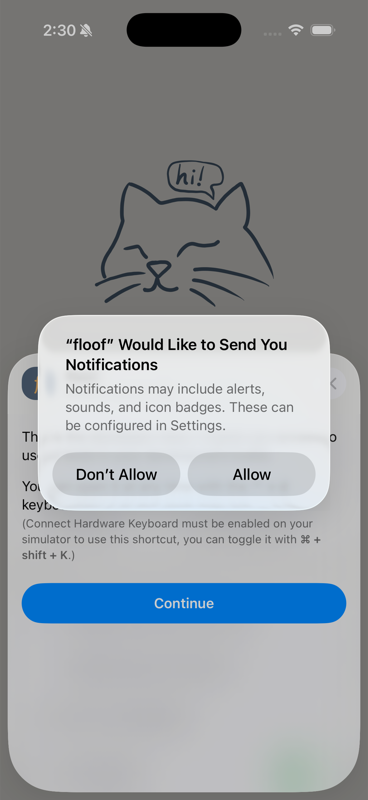
Turn on reminders
When asked about notifications, tap Allow. That's what lets floof send reminders about medication schedules, vet visits, and low inventory.
-
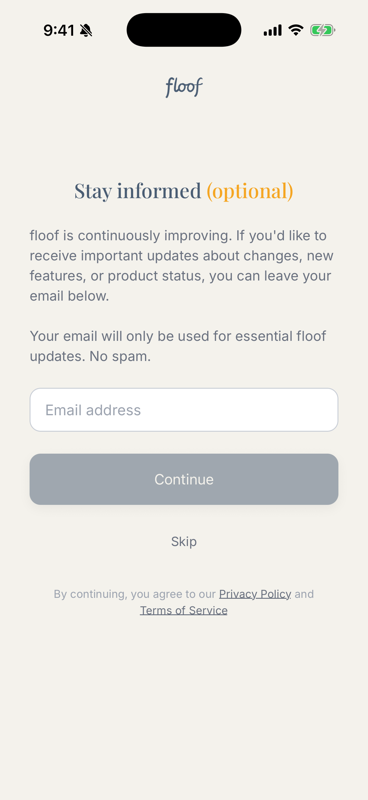
Add your email (optional)
Adding your email allows us to share important product updates. No spam, no marketing. If you don’t want to receive product updates, you can tap Skip.
-
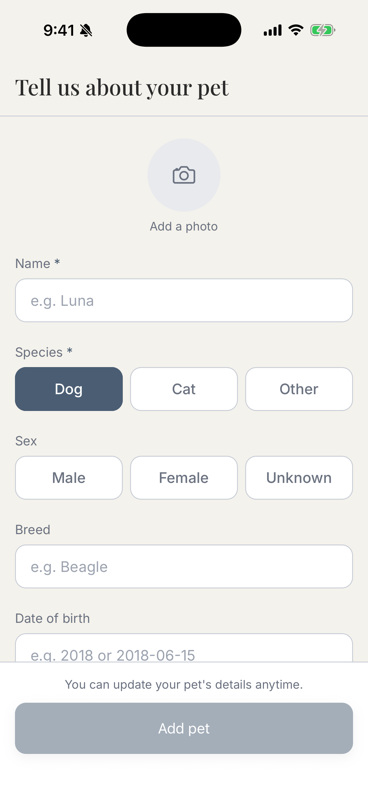
Tell floof about your pet
Name, type, and a few details. If you don't know your pet's exact birthday, you can just put the year. An ✱ marks a required field; everything else is optional and can always be added later.
-
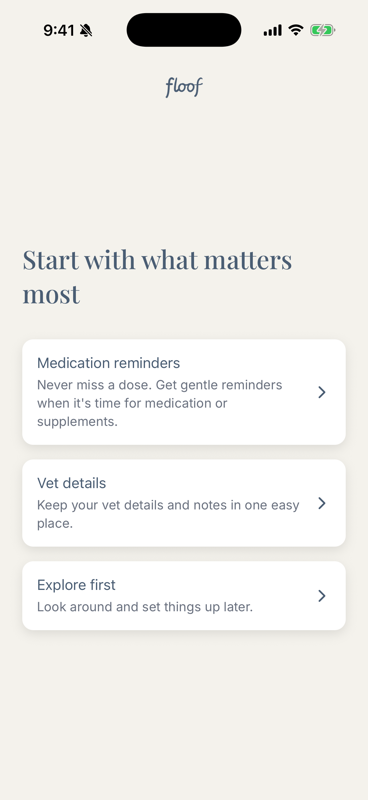
Choose where to begin
Set up medication reminders, save vet details, or just explore first. We'll start with a medication.
-
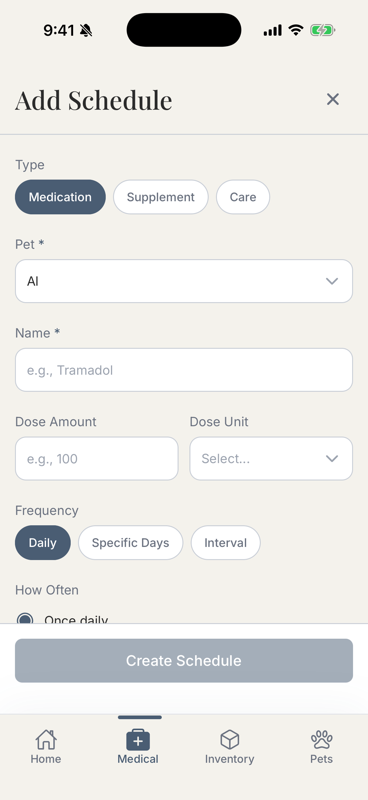
Add a schedule
Your pet is already filled in. Choose Medication, Supplement, or Care up top. Enter the medication name and the amount.
-
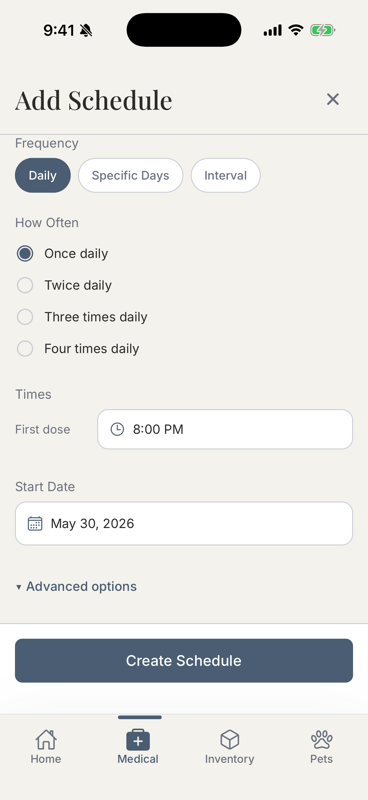
Choose how often
Daily, specific days, or an interval, then the time(s) of day. That's all you need.
-
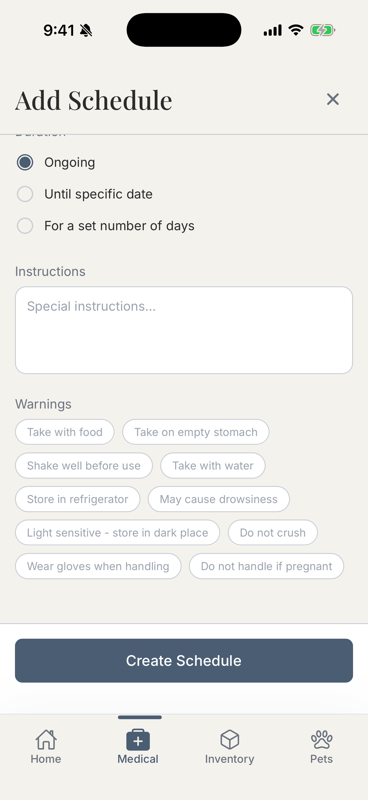
Add safety notes (optional)
Additional options like 'Give with food' can be found here if you'd like to add them.
-
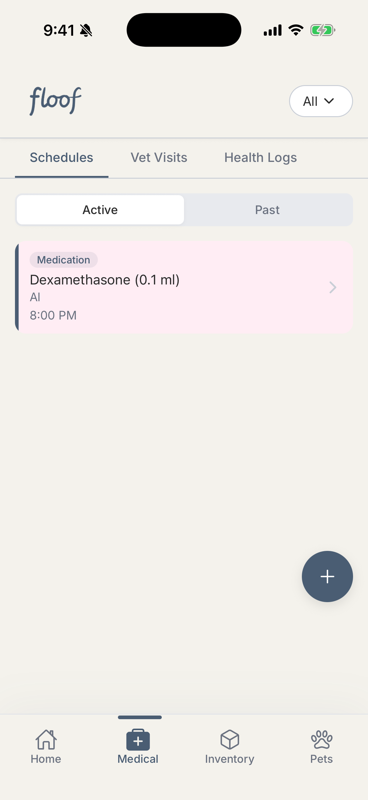
Done — it's on the schedule
Your medication now shows as a card.
-
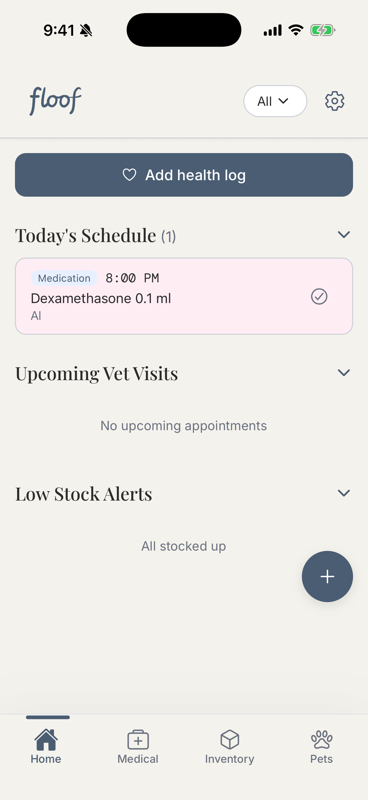
Your home screen
All of your daily doses show under Today's Schedule. If you've added notification permissions, you'll get an alert when it's medication time!
-
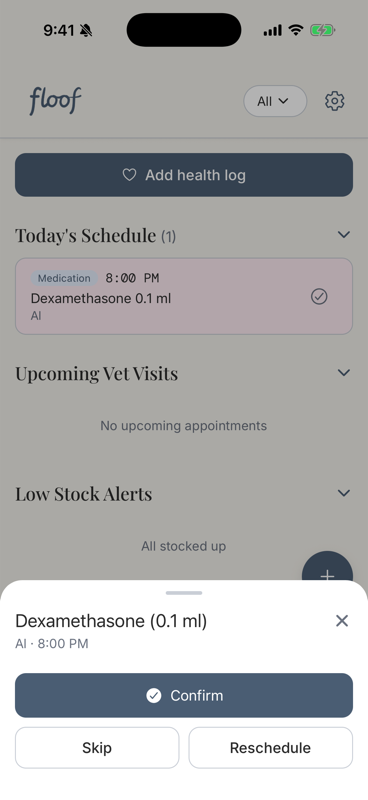
Tap a dose
You can tap Confirm, Skip, or Reschedule to say whether a dose was given — the same choices appear on your lock-screen reminder.
-
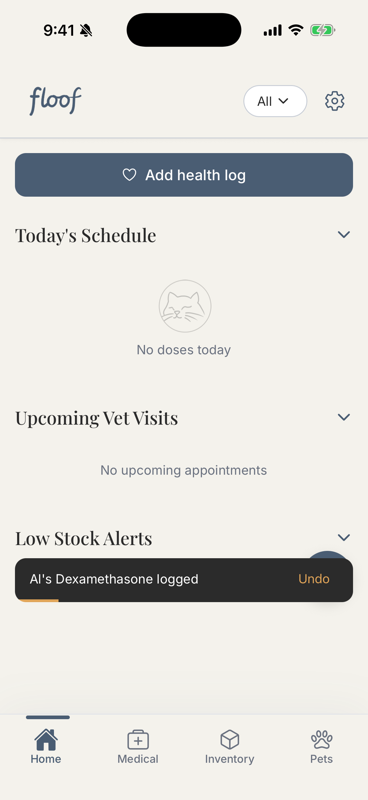
One tap, with a safety net
Confirming logs it and clears it from today. Made a mistake? No problem! A quick Undo appears for a few seconds.
-
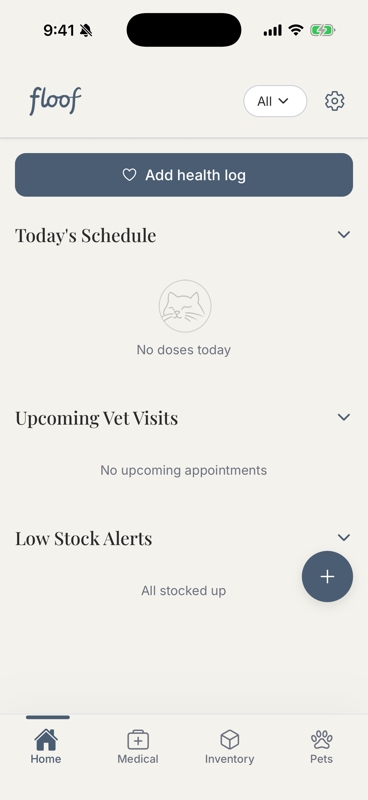
Find your account
The cog (top-right) opens Account — vets, notifications, feedback, and more.
-
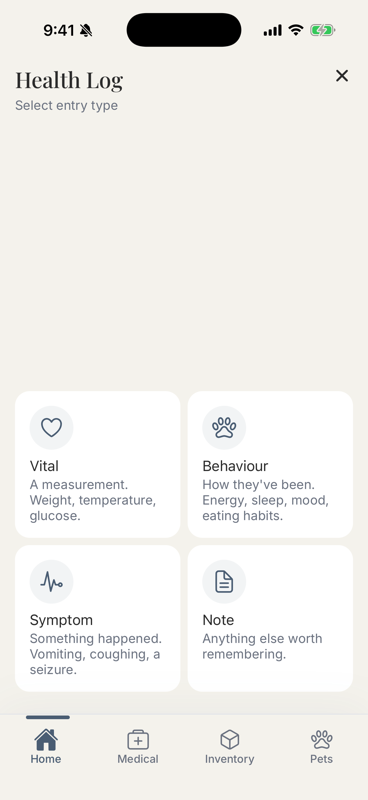
Add a health log
Tap Add health log on Home. Pick a type: Vital, Behaviour, Symptom, or Note.
-
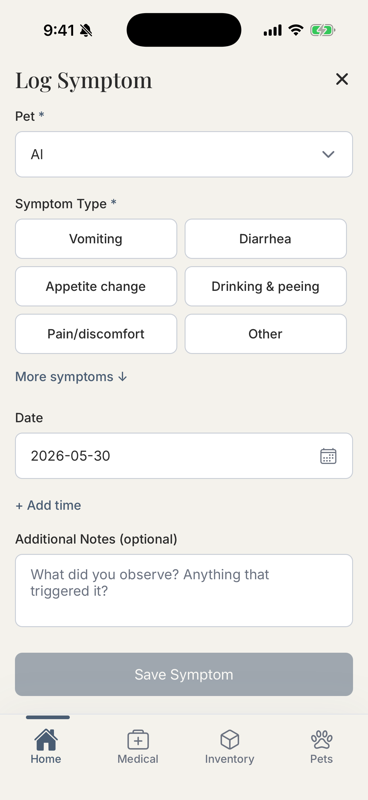
Pick what you're recording
For a symptom, choose what happened.
-
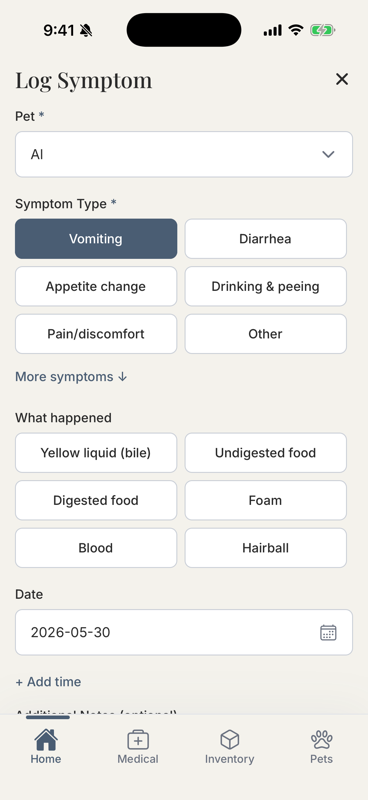
Add detail with a tap
Optional descriptions capture more details — like 'Yellow liquid (bile)' for vomiting. You can also add the time that something happened by selecting ‘+ Add time’ under the date field.
-
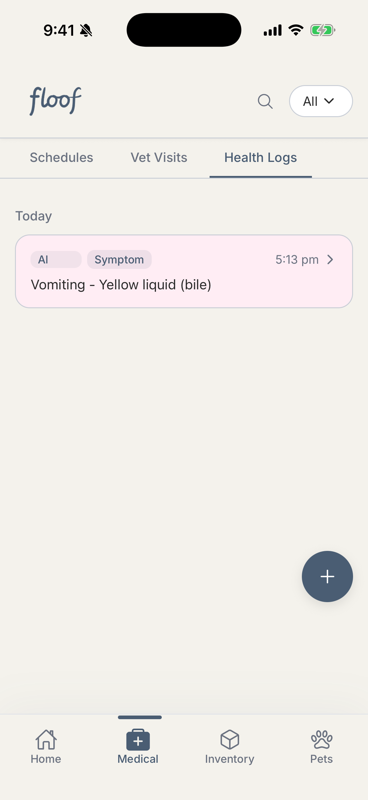
It's saved
Find every entry under Medical → Health Logs. You can also start a log from Medical or a pet's profile.
-
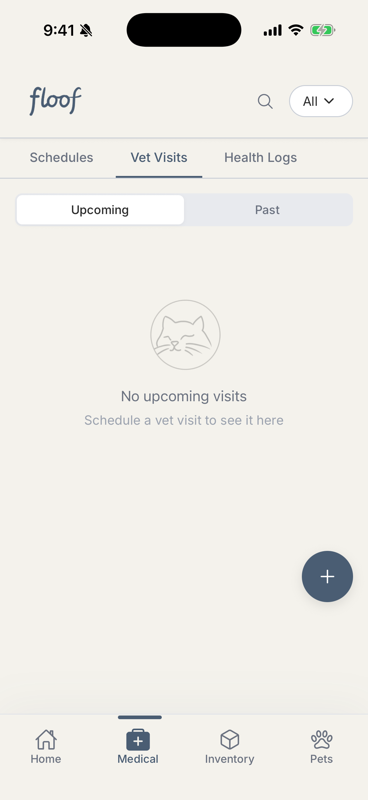
Keep vet visits together
Record past and upcoming visits in one place. Bonus tip - Use the search feature to search your vet visits and health logs. Now you can find the name of that supplement your vet mentioned a few months ago!
-
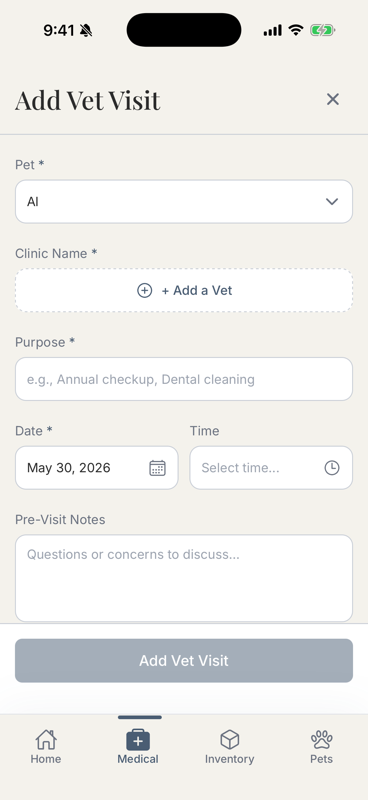
Log a visit
Add the date, reason, and notes. If you end up needing to book a follow-up you can create a reminder in the appointment.
-
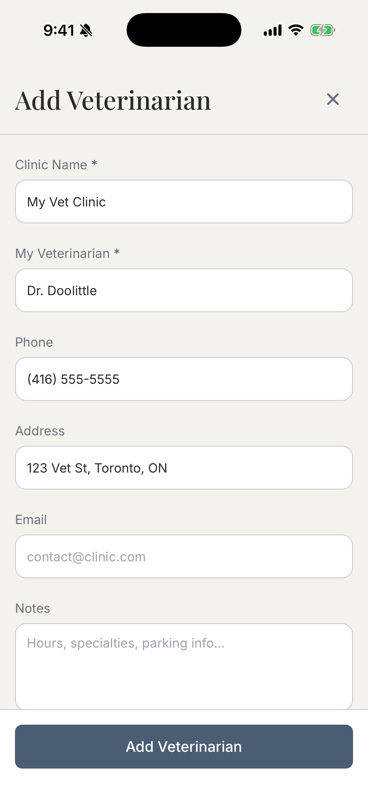
Add your vet once
Save the clinic's details here and reuse them next time.
-
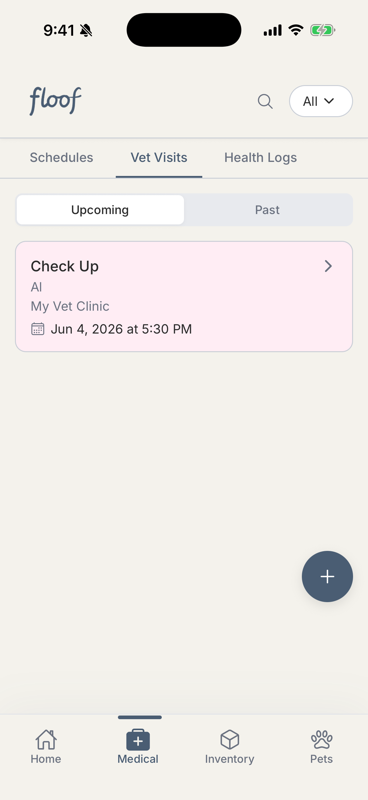
Find your vet visits
Your vet visits show up in three places: the Home screen, the Medical tab, and your pet's profile.
-
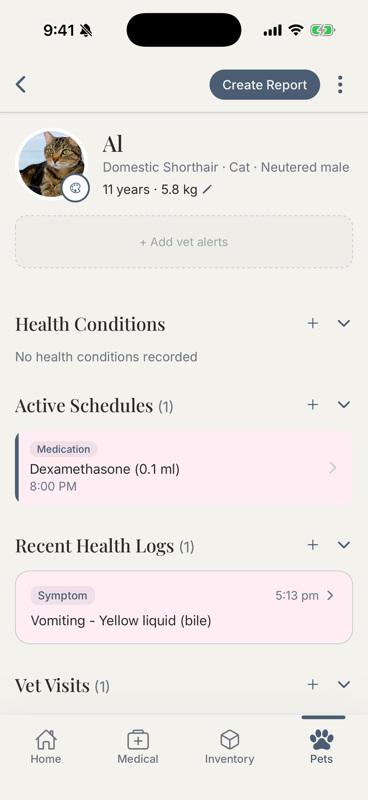
Everything about your pet
Their profile gathers conditions, schedules, logs, and visits. Tap Create Report to make a PDF summary for your vet — floof wants to support your relationship with your vet, not get in the way.
-
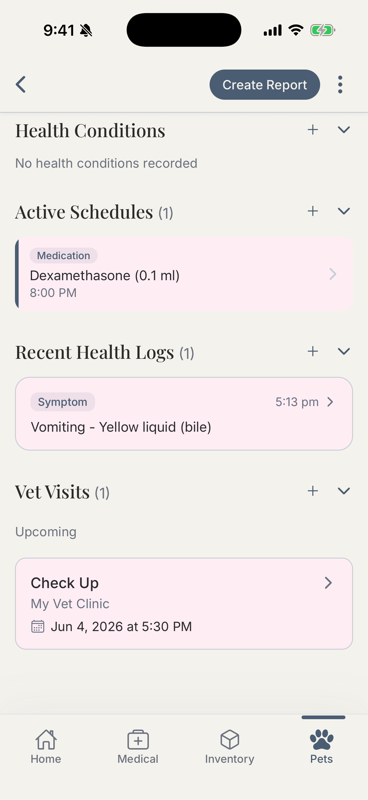
It all connects
Scroll your pet's profile for their health conditions, active schedules, recent logs, and visits.
-
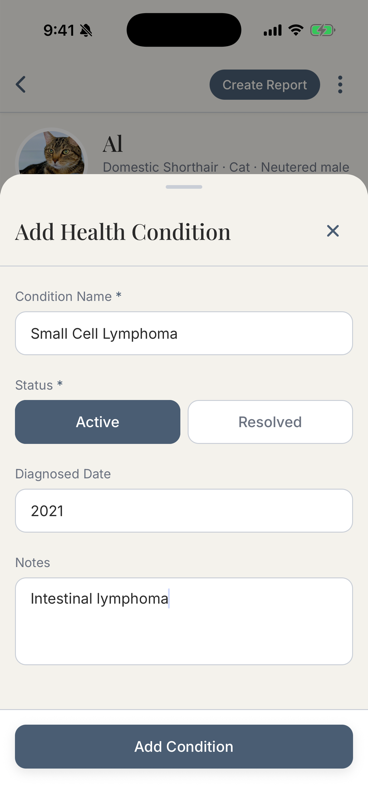
Add a health condition
Record diagnoses so everything stays organised around what your pet's managing.
-
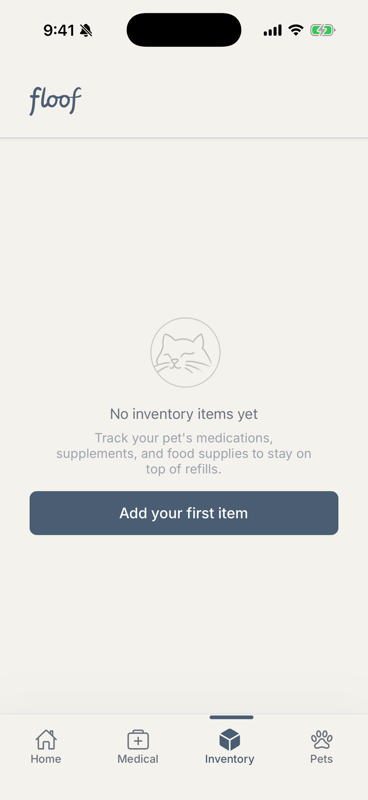
Never run out
The Inventory tab tracks medications and supplies.
-
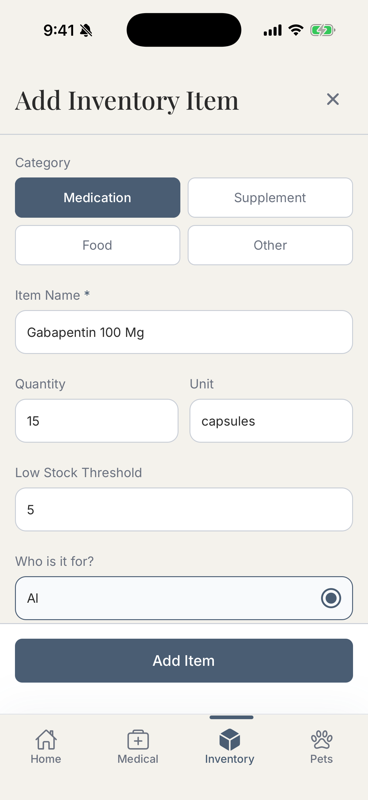
Add an item
Set the quantity and a Low Stock Threshold — floof warns you before you run out. Link it to a schedule and doses count down automatically. Right now, floof does a good job managing tablets, capsules and chews. Liquids, food inventory, and other items that are used outside of a schedule still need to be tracked manually.
-
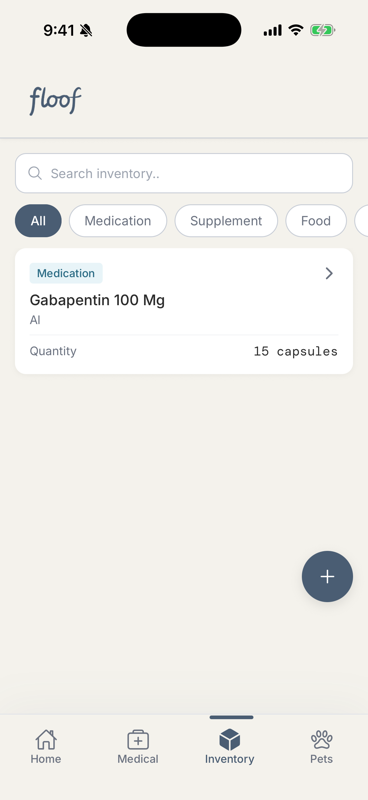
Your stock at a glance
Everything you're tracking, in one list.
-
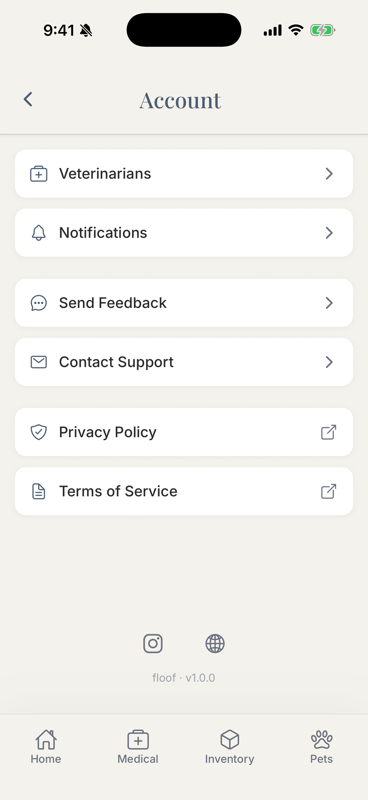
Your account hub
Vet details, notification settings, feedback, and support can all be found by tapping the cog on the homescreen.
-
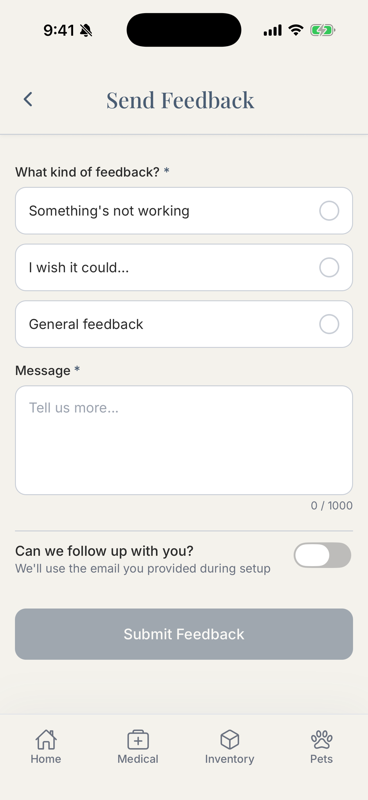
Tell us what's not working
You're an early tester — your feedback shapes floof. Tap Send Feedback (or email support@myfloof.app) and pick 'Something's not working' to report a bug. We really appreciate all of the feedback we receive!
-
You're all set
That's the tour. Open ☰ Sections anytime to revisit a feature, and use 🐞 Found a bug? whenever something feels off. Thank you for helping us build floof - We hope it improves the caregiving experience for amazing pet parents like you!